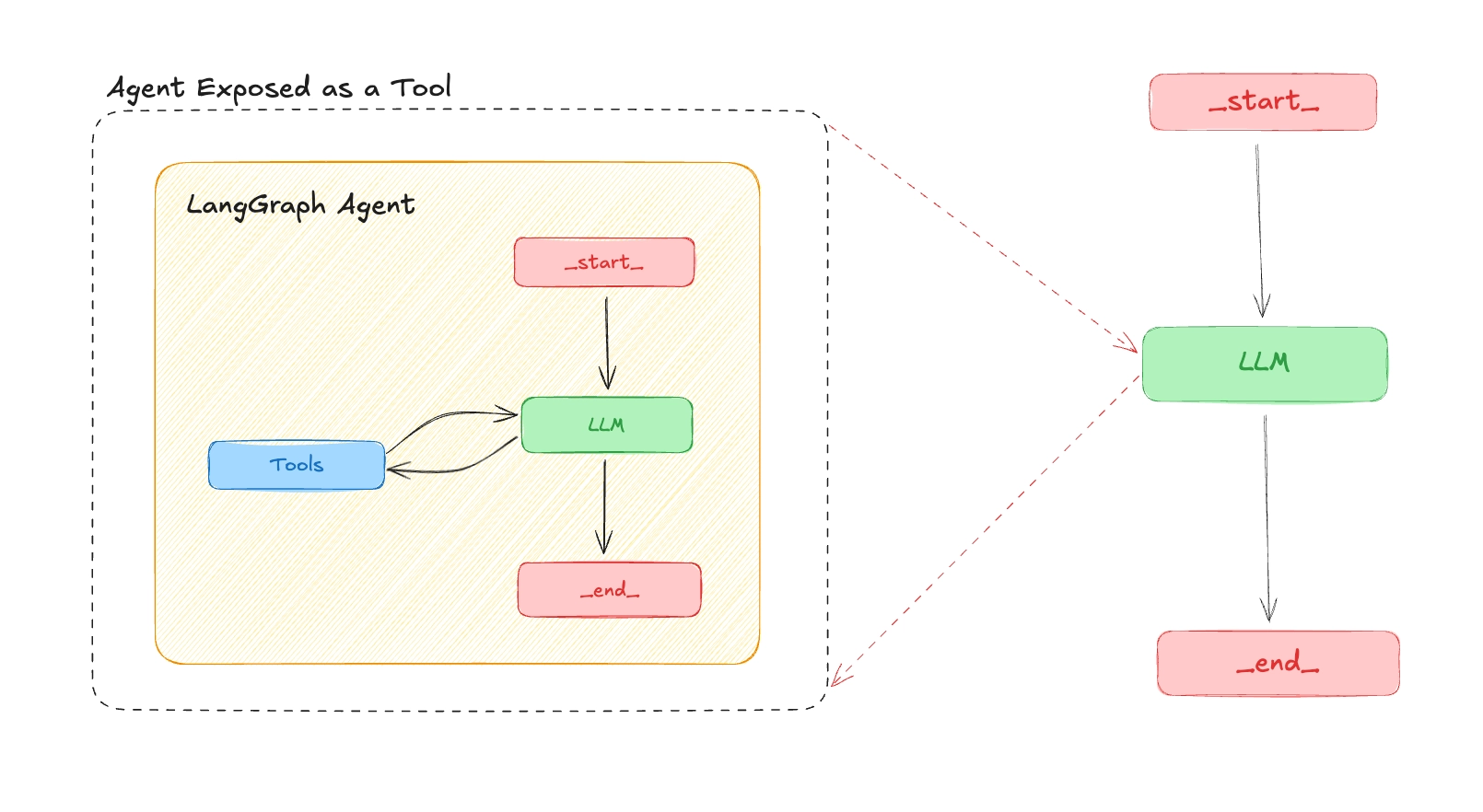
Introduction
LLMs are becoming increasingly capable of interacting with the outside world or accessing data that they are not trained on using tools.
These tools function like APIs or plugins that models can call to fetch real-time information, perform actions, or reason beyond their training knowledge.
But what if your own AI agent could become a tool that other LLMs or agents can discover and use dynamically?
In this post, you'll learn how to expose a LangGraph agent as an MCP tool, making it usable by any Model Context Protocol (MCP) client for example the LangGraph MCP client, OpenAI's MCP client, or even your own custom-built one.
This unlocks a powerful pattern for building composable, reusable, and cross-agent AI workflows or what we can now call "Agent-as-a-Service".
What is MCP?
The Model Context Protocol (MCP) is an open protocol introduced by Anthropic. It standardizes how applications provide context to LLMs. Think of MCP like USB-C for AI applications. Just as USB-C provides a standardized way to connect your devices to various peripherals and accessories, MCP provides a standardized way to connect AI models to different data sources and tools.
Why Expose a LangGraph Agent as an MCP Tool?
- Interoperability: Your agent can be used by any LLM or framework that support MCP.
- Composable Agents: Chain agents together, one agent becomes a tool for another.
- Remote Access: Agents are accessible via a standardized endpoint
How to Expose a LangGraph Agent as an MCP Tool
LangGraph server is an API server designed for creating and managing agent-based applications. It implements the MCP protocol using streamable-http transport, so a LangGraph agent can be exposed as an MCP tool and used by any MCP client.
The steps below assume you have a LangGraph agent ready. We'll configure it for MCP, define its schema, and then connect to it from a client.
Requirements
To use the LangGraph MCP server, ensure you have the following dependencies installed:
langgraph-api >= 0.2.3langgraph-sdk >= 0.1.61
Step 1: Configure the Agent in langgraph.json
Set the agent name and description in langgraph.json so it appears correctly as a tool in the MCP endpoint:
{
    "graphs": {
        "finance_agent": {
            "path": "src/graph.py:graph",
            "description": "Your are a financial agent that can help user know their income, savings and expenses."
        }
    },
    "env": "./.env",
    "dependencies": ["."],
    "python": "3.11"
}
Once deployed, your agent will appear as a tool in the MCP endpoint with:
- Tool name: The graph key (e.g.
finance_agent) - Tool description: The
descriptionyou set in the config - Tool input schema: Derived from the agent's input schema
Step 2: Define the Agent's Input and Output Schema
To avoid exposing unnecessary complexity to the LLM, use a minimal and clear schema:
graph.py
from langchain.chat_models import init_chat_model
from langgraph.graph import StateGraph
from typing_extensions import TypedDict

llm = init_chat_model("openai:gpt-4o-mini")

# Define input schema
class InputState(TypedDict):
    query: str

# Define output schema
class OutputState(TypedDict):
    response: str

# Combine input and output
class AgentState(InputState, OutputState):
    pass

AGENT_PROMPT = """
You are a financial agent that can help with financial planning and investment management.

my income is 100000
my expenses are 50000
my savings are 50000

"""


async def finance_agent(state: InputState)->OutputState:

    """
    This function is the main function that will be used to process the user's query.
    It will use the LLM to generate a response based on the user's query and the system instruction.
    It will return the response as a string.
    """

    system_instruction = AGENT_PROMPT

    messages = [
        {
            "role": "system",
            "content": system_instruction
        },
        {
            "role": "user",
            "content": state["query"]
        }
    ]

    response = await llm.ainvoke(messages)

    return {"response": response}

graph_builder = StateGraph(AgentState, input_type=InputState, output_type=OutputState)

graph_builder.add_node("finance_agent", finance_agent)

graph_builder.set_entry_point("finance_agent")
graph_builder.set_finish_point("finance_agent")

graph = graph_builder.compile()
Step 3: Connect to a Remote MCP Tool
From a client (e.g. another agent or script), you can load the remote agent as a tool and use it in a ReAct agent:
from mcp import ClientSession
from mcp.client.streamable_http import streamablehttp_client

from langchain_mcp_adapters.tools import load_mcp_tools
from langgraph.prebuilt import create_react_agent

server_params = {
    "url": "https://remote-end-point/mcp",
    "headers": {
        "X-Api-Key":"lsv2_pt_your_api_key"
    }
}

async def main():
    async with streamablehttp_client(**server_params) as (read, write, _):
        async with ClientSession(read, write) as session:
            # Initialize the connection
            await session.initialize()

            # Load the remote graph as if it was a tool
            tools = await load_mcp_tools(session)

            print(tools)

            # Create and run a react agent with the tools
            agent = create_react_agent("openai:gpt-4o-mini", tools)

            # Invoke the agent with a message
            agent_response = await agent.ainvoke({"messages": "What is my income, savings and expenses?"})
            print(agent_response)

if __name__ == "__main__":
    await main()